
Banking & Finance
Capture ID and passport data for KYC and account onboarding — accurate and auditable, with no re-keying.
Data and document captured, ready for your workflow.
*All Visual Inspection Zone (VIZ) requires customization. Applicable fees may apply, please contact us for more info.
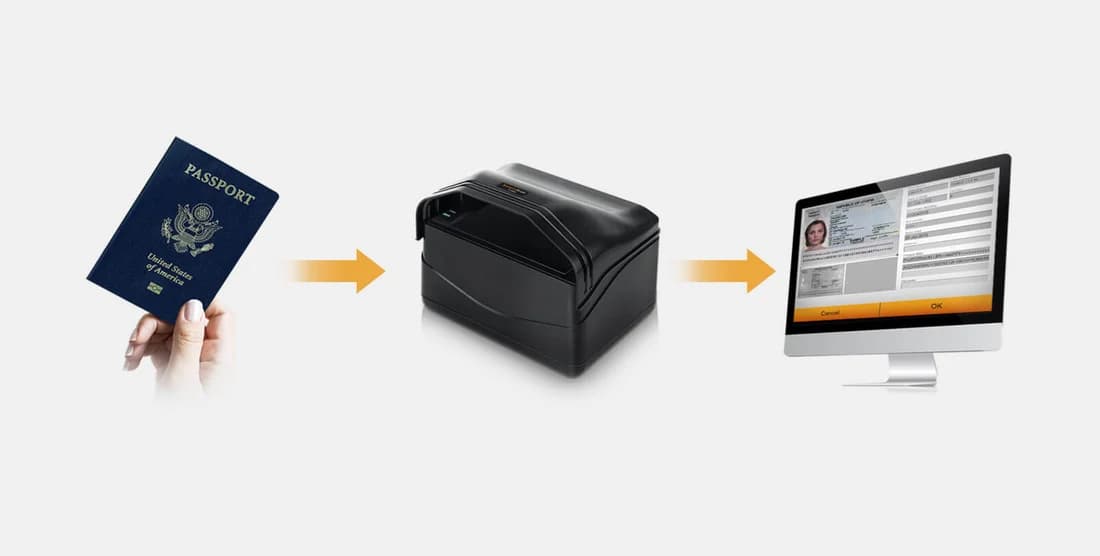


Photocopying an ID and keying in the details takes a minute or more, every time. With SecureScan, place the passport or card and in about a second the full-page image is captured and the data is read, verified and stored — ready for your system.
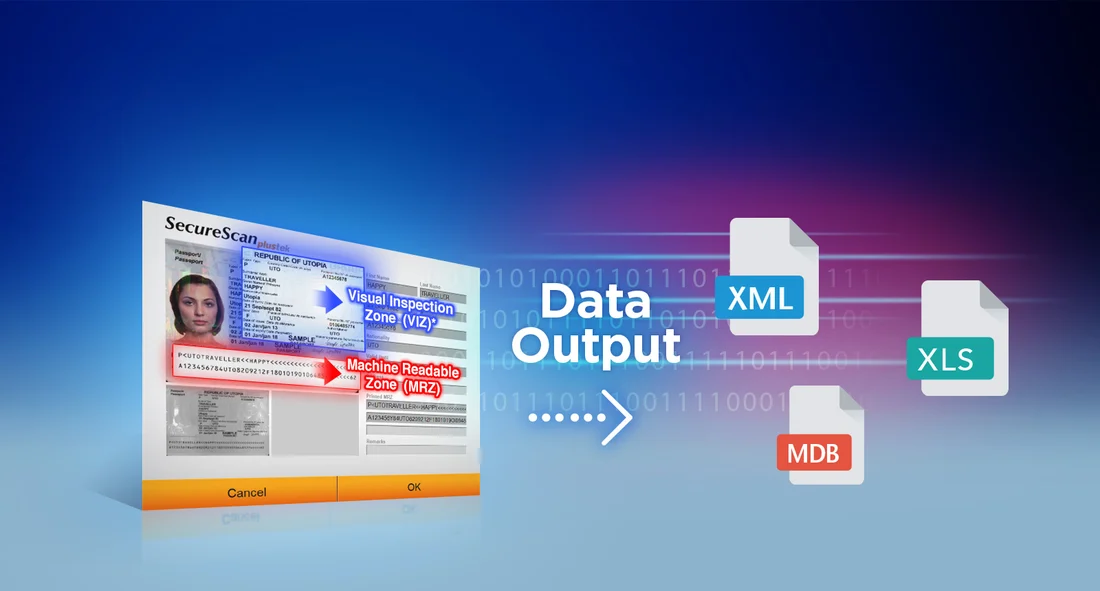
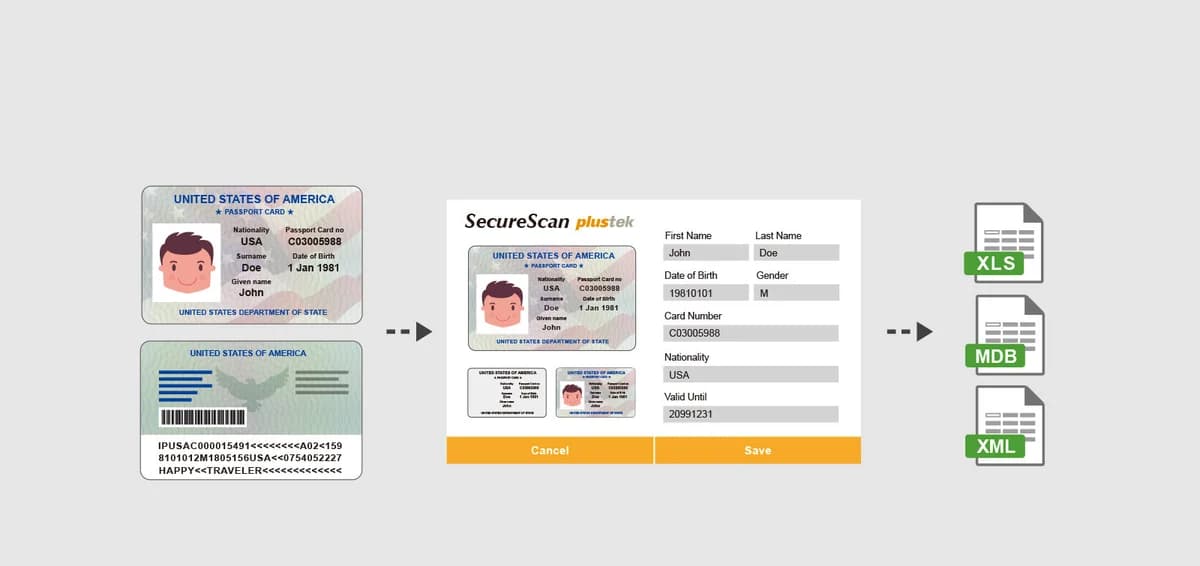
SecureScan captures the Machine Readable Zone and Visual Inspection Zone (VIZ)*, then extracts the fields — name, document number, nationality, date of birth, expiry — straight into structured data. Export to XML, XLS or MDB, or pull it into your own application with the Passport/MRZ, ID-card, OCR and imaging SDKs.
*All Visual Inspection Zone (VIZ) requires customization. Applicable fees may apply, please contact us for more info.
SecureScan speeds up identity capture across regulated, customer-facing industries.
Capture ID and passport data for KYC and account onboarding — accurate and auditable, with no re-keying.

Verify customer identity at sign-up and record it consistently across every branch and store.

Register patients from their ID in seconds, with details read straight into your system.
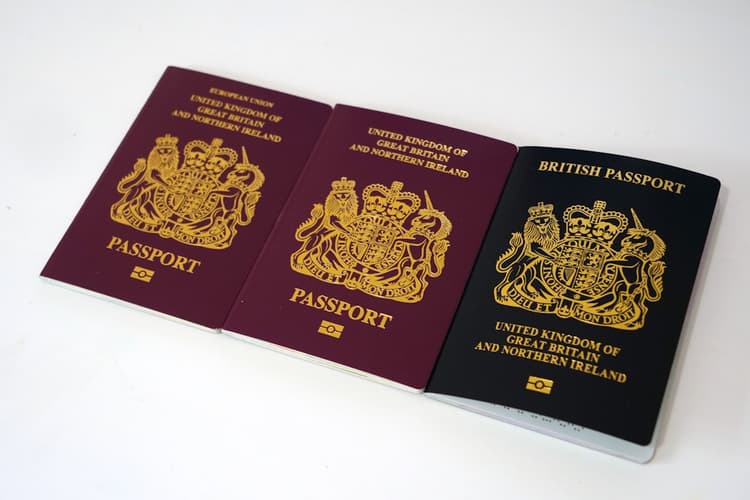
Process passports, visas and ID documents to ICAO Doc 9303 for citizen and border services.
Confirm student and applicant identity at enrolment and keep secure, accurate records.
Check guests in fast — scan the passport or ID once and the details populate automatically.
Watch passport and ID capture, MRZ extraction and instant data output.
Both scan passports and IDs with MRZ extraction — pick the compact X-Mini, or the X150 with UV for counterfeit detection.
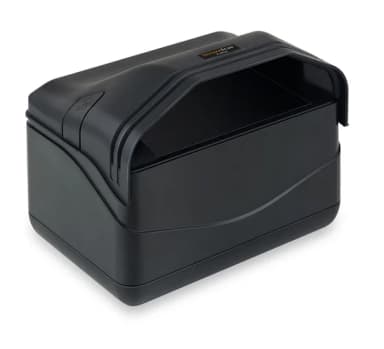 SecureScan X-MiniCompact · IR + White light SecureScan X-MiniCompact · IR + White light | 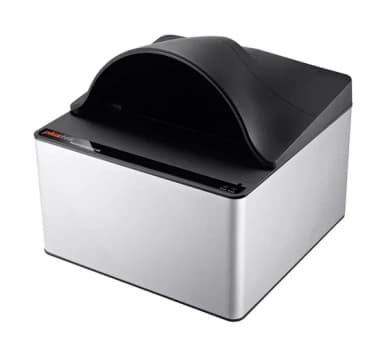 SecureScan X150Advanced · IR + White + UV SecureScan X150Advanced · IR + White + UV | |
|---|---|---|
| Imaging & capture | ||
| Image sensor | CMOS | CMOS |
| Light source | White LED / IR LED | White LED / IR LED / UV LED |
| Optical resolution | 5 Megapixels | 5 Megapixels |
| Focus | Fixed | Fixed |
| Scan modes | Colour 24-bit · IR 24-bit in / 8-bit out | Colour 24-bit · IR 24-bit in / 8-bit out · UV 24-bit |
| Scanning speed | ≈ 1 sec (full-page passport, colour) | ≈ 2 sec (full-page passport, colour) |
| Counterfeit detection (UV) | — | Yes — UV light source |
| Documents | ||
| Max. scanning area | 127 × 95 mm (5" × 3.74") | 127 × 95 mm (5" × 3.74") |
| Max. document size | 125 × 88 mm (4.92" × 3.46") | 125 × 88 mm (4.92" × 3.46") |
| Standards | ICAO Doc 9303 (TD1/TD2/MRP/MRV) | ICAO Doc 9303 (TD1/TD2/MRP/MRV) |
| Action button | Dual auto-detect sensors | Dual auto-detect sensors |
| Power & connectivity | ||
| Power | USB powered (5 V DC) | 24 Vdc / 0.75 A |
| Interface | USB 2.0 Type-B | USB 2.0 Type-B · USB 2.0 × 2 (extension) |
| Physical | ||
| Net weight | 0.86 kg (1.91 lbs) | 1.7 kg (3.78 lbs) |
| Dimensions w/ cover (W×D×H) | 195 × 139 × 153 mm | 200 × 200 × 190 mm |
| Dimensions w/o cover (W×D×H) | 195 × 139 × 100 mm | 200 × 200 × 119 mm |
| Software & system | ||
| Operating system | Windows 7 / 8 / 8.1 / 10 / 11 | Windows 7 / 8 / 8.1 / 10 / 11 |
| Bundled software | SecureScan · SecureScan Manager | SecureScan · SecureScan Manager |
| Integration | Passport/MRZ, ID-card, OCR & imaging SDKs | Passport/MRZ, ID-card, OCR & imaging SDKs |
Specifications sourced from the official Plustek datasheets. Full details: X-Mini · X150.
Read the complete specifications on the official Plustek site, or ask us about SDK licensing and a quote tailored to your deployment.
Official specifications hosted on plustek.com.